
10 designs · 2 to 20 photos
Holiday and seasonal Instagram carousel templates
Summer snapshots, autumn notes, winter walls and year-in-review recaps, ready for every season and holiday.
- 7 free, 3 VIP
- 2 to 20 photos per post
- 3 to 7 slides
- 4:5, 1080 × 1350 per slide


Cozy December
3 photos 4 slides

First snow
2 photos 3 slides

Hello spring
2 photos 3 slides
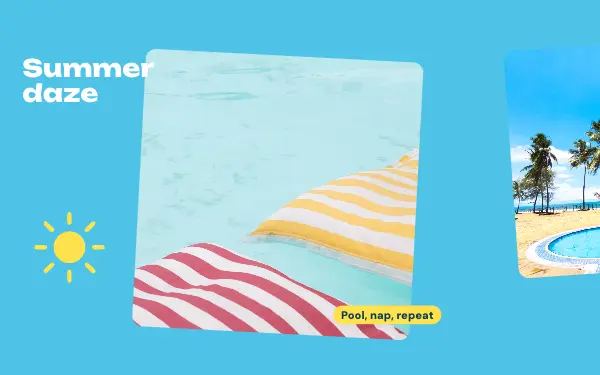
Summer daze
3 photos 4 slides
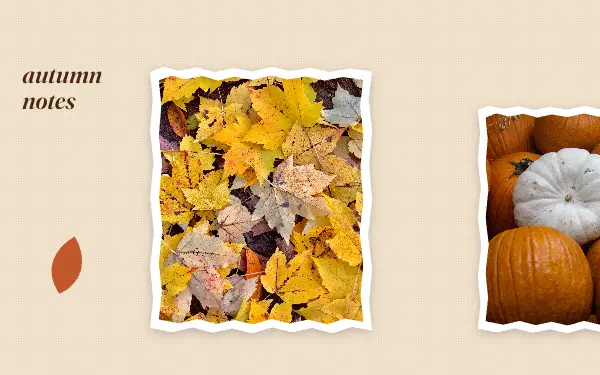
Autumn notes
4 photos 4 slides

Year in review
12 photos 7 slides
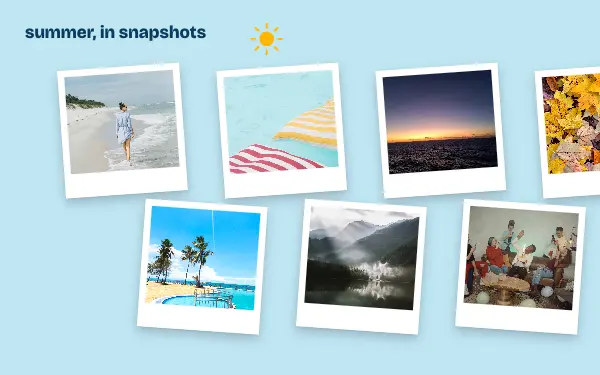
Summer scraps
13 photos 4 slides

Holiday wall
14 photos 5 slides

Year in sixteen
16 photos 4 slides
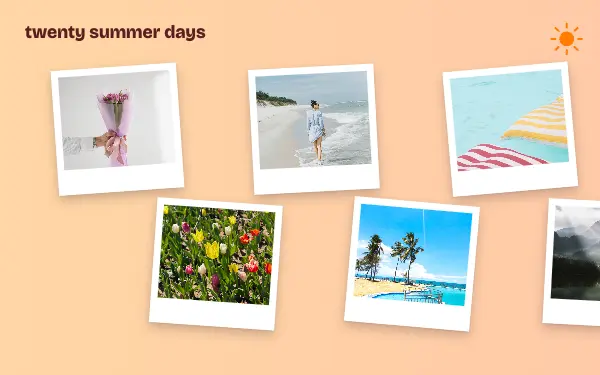
Twenty summer days
20 photos 7 slides
How to make a holiday carousel people swipe through
- 1
Collect through the season
Seasonal posts are best made from photos taken over weeks, not one afternoon. Save the good ones as you go.
- 2
Lean into the colours
Summer blues, autumn ambers, winter whites. Pick photos that share the season’s colours, and change the design colours to match.
- 3
Make it a yearly series
Post the same design each year and your followers start to look forward to it.
Holiday post ideas
- Summer recaps
- Autumn walks
- Christmas and winter holidays
- Spring blossoms
- Year in review
By number of photos
- 2 photos: First snow, Hello spring
- 3 photos: Cozy December, Summer daze
- 4 photos: Autumn notes
- 12 photos: Year in review
- 13 photos: Summer scraps
- 14 photos: Holiday wall
- 16 photos: Year in sixteen
- 20 photos: Twenty summer days
FAQ
Holiday Instagram carousels, answered
Are there Christmas and holiday carousel templates?
Yes, there are winter and holiday designs alongside summer, autumn and year-in-review ones. Change the words for any holiday you celebrate.
How many photos can a year-in-review carousel have?
The seasonal designs hold from 2 to 20 photos, and 20 is Instagram’s limit for one post.
Are these holiday carousel templates free?
Postora Swipe is free to download, and 7 of the 10 holiday designs are free to use. The other 3 are VIP designs, marked with a crown. Free accounts make carousels of up to 8 slides and export full size with a small mark, after a short ad; VIP unlocks every design, carousels of up to 20 slides and exports without the mark or ads.
What size are the slides?
Each slide is 1080 × 1350 pixels (4:5), the portrait size Instagram shows biggest in the feed. The app cuts the design into slides that line up exactly, so the picture continues as people swipe.
How do I use a holiday template?
Install Postora Swipe from Google Play, open the Seasons & holidays designs and pick one, or choose your photos first and the app shows every design that fits them. Long-press to reorder the photos, tap any text to rewrite it, then preview the post and share it to Instagram.
Make a holiday carousel on your phone
Postora Swipe is free on Google Play, with 133 free designs.