
7 designs · 3 to 11 photos
Bold Instagram carousel templates
Big type, strong colour and starbursts for posts that stop the scroll. Made for announcements, drops and anything that should be impossible to miss.
- 5 free, 2 VIP
- 3 to 11 photos per post
- 3 to 5 slides
- 4:5, 1080 × 1350 per slide





How to make a bold carousel people swipe through
- 1
Lead with the news
Bold designs are for posts that have to be seen: a launch, a sale, an announcement. Put the news in the big type on the first slide and the details after it.
- 2
Use photos with strong shapes
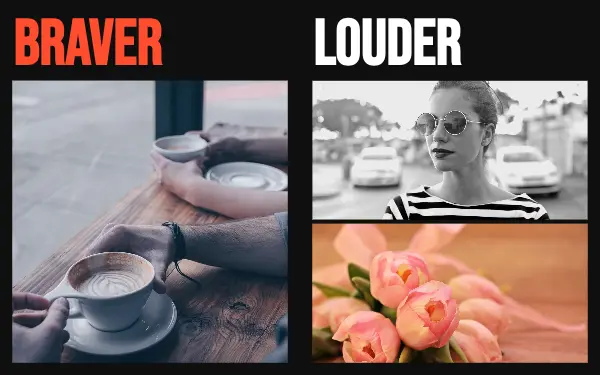
Big type and bright colour need photos that hold their own: a clear subject, high contrast, nothing small and fiddly.
- 3
Match the colours to your brand
Change the design colours to your own so a loud post is still recognisably yours. A brand kit in the app keeps them ready for the next one.
Bold post ideas
- Product drops
- Sale and discount announcements
- Event line-ups
- Big personal news
- Countdowns
By number of photos
- 3 photos: Big word, Colour pop, Neon outline, Sunset poster
- 7 photos: Big words
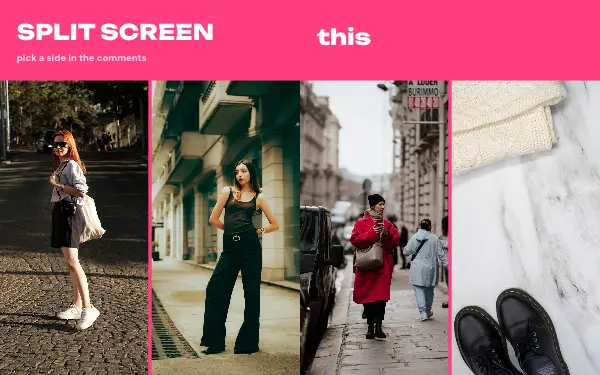
- 8 photos: Split screen
- 11 photos: Headline grid
FAQ
Bold Instagram carousels, answered
What makes a carousel stop the scroll?
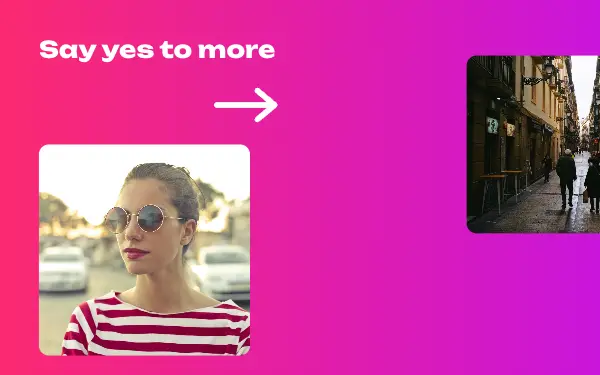
A first slide that can be read in a second: a few large words, strong colour and one clear photo. The bold designs are built that way, and the shapes that cross the slide edges show there is more to see.
Can I use my brand colours and fonts?
Yes. You can change every colour and font, and save them in a brand kit so the next post starts with them.
Are these bold carousel templates free?
Postora Swipe is free to download, and 5 of the 7 bold designs are free to use. The other 2 are VIP designs, marked with a crown. Free accounts make carousels of up to 8 slides and export full size with a small mark, after a short ad; VIP unlocks every design, carousels of up to 20 slides and exports without the mark or ads.
What size are the slides?
Each slide is 1080 × 1350 pixels (4:5), the portrait size Instagram shows biggest in the feed. The app cuts the design into slides that line up exactly, so the picture continues as people swipe.
How do I use a bold template?
Install Postora Swipe from Google Play, open the Bold designs and pick one, or choose your photos first and the app shows every design that fits them. Long-press to reorder the photos, tap any text to rewrite it, then preview the post and share it to Instagram.
Make a bold carousel on your phone
Postora Swipe is free on Google Play, with 133 free designs.