
Product face-off carousel template
Two products from your range compared fairly: what each covers, where each falls short, and which one suits whom.
Slide 1 of 7 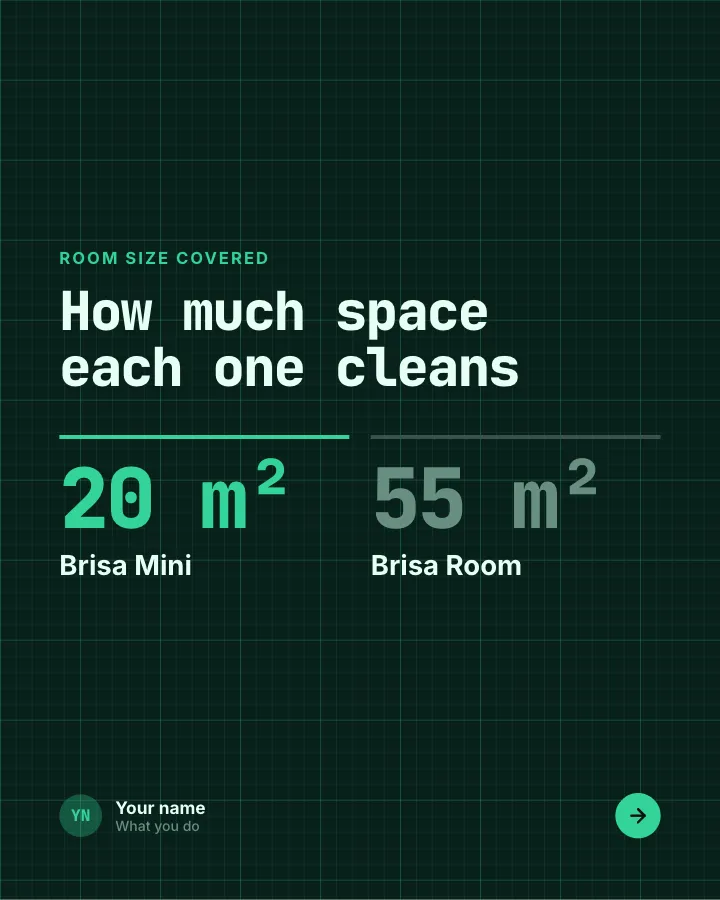
Slide 2 of 7 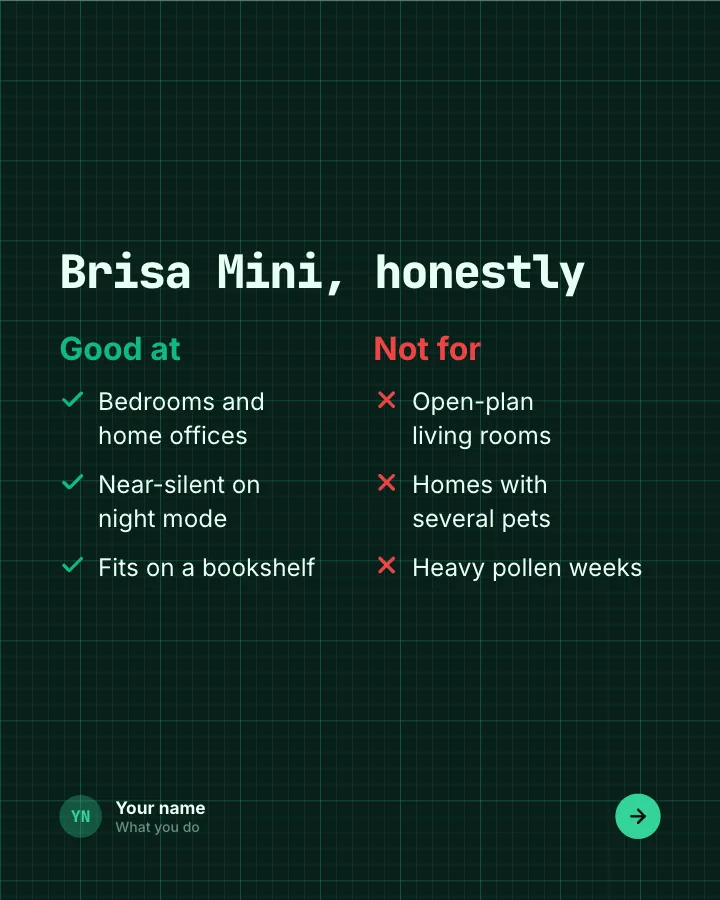
Slide 3 of 7 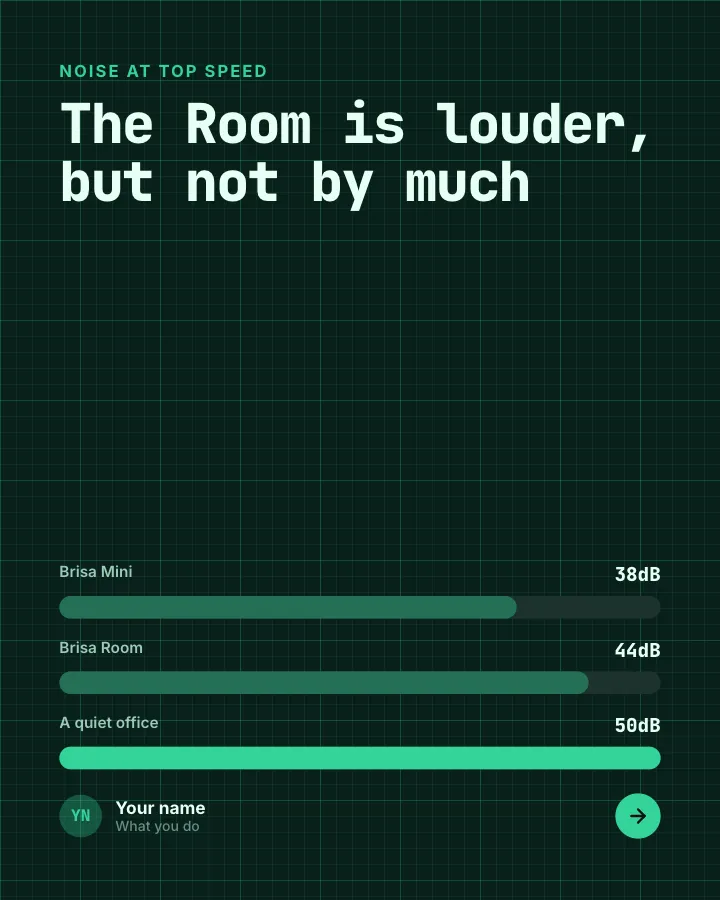
Slide 4 of 7 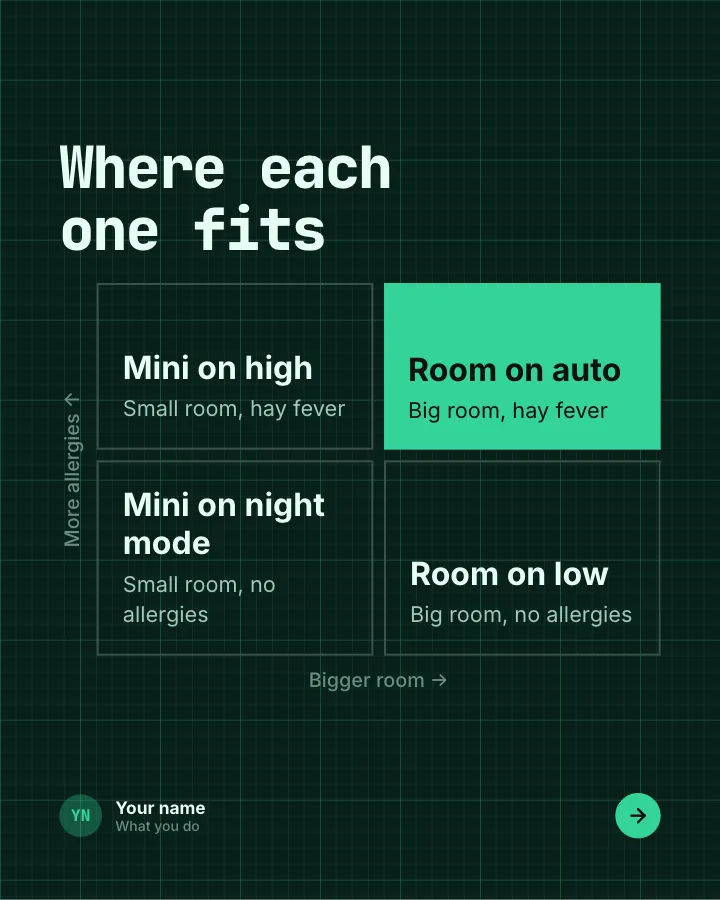
Slide 5 of 7 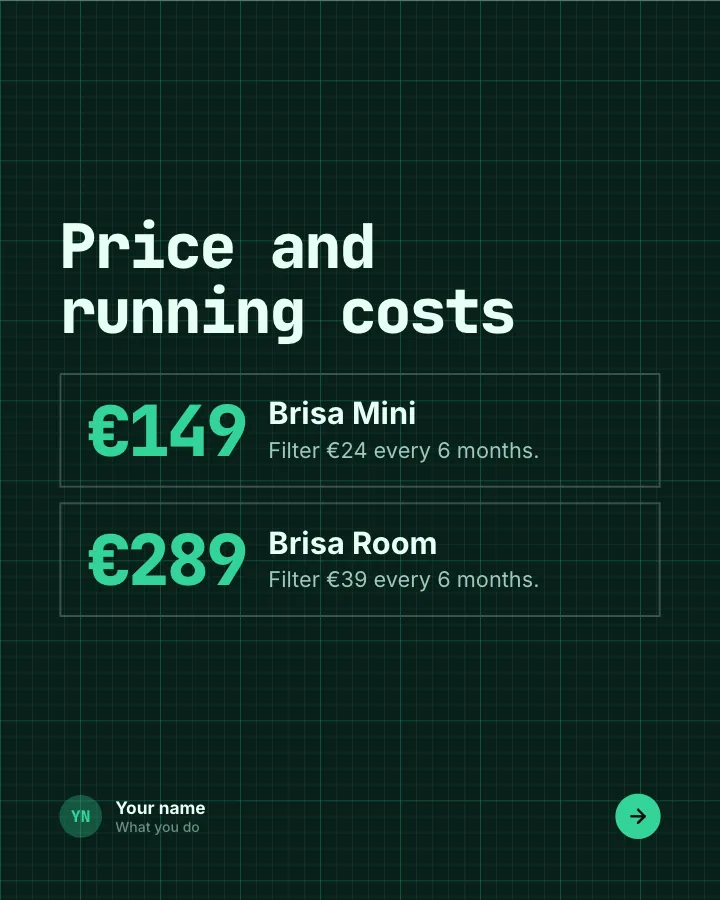
Slide 6 of 7 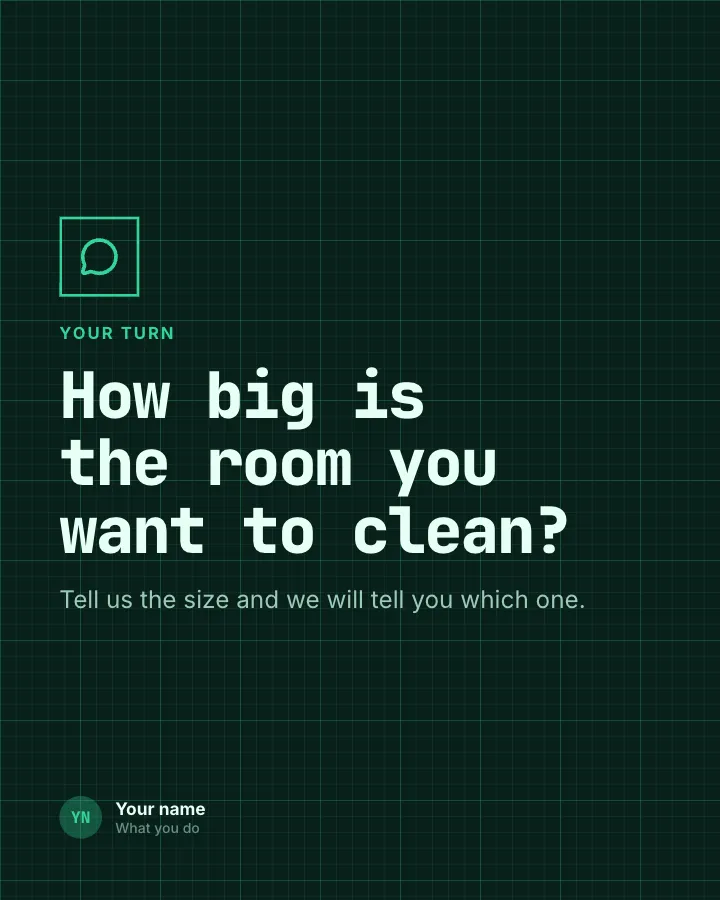
Slide 7 of 7
See it in the feed
How the example looks once it is posted. In the studio the preview uses your own slides, caption and profile.
Your name
What you do · 1h
Two products from your range compared fairly: what each covers, where each falls short, and which one suits whom.
1/7When to use it
Reach for Product face-off when you want to promote a product or an opening without a hard sell and teach your audience something they can use straight away. Its structure is flexible: your writer picks the shape that suits the topic. Give Postora your topic and it keeps the shape, writing every slide about your subject in your voice.
What each slide does
1Hook
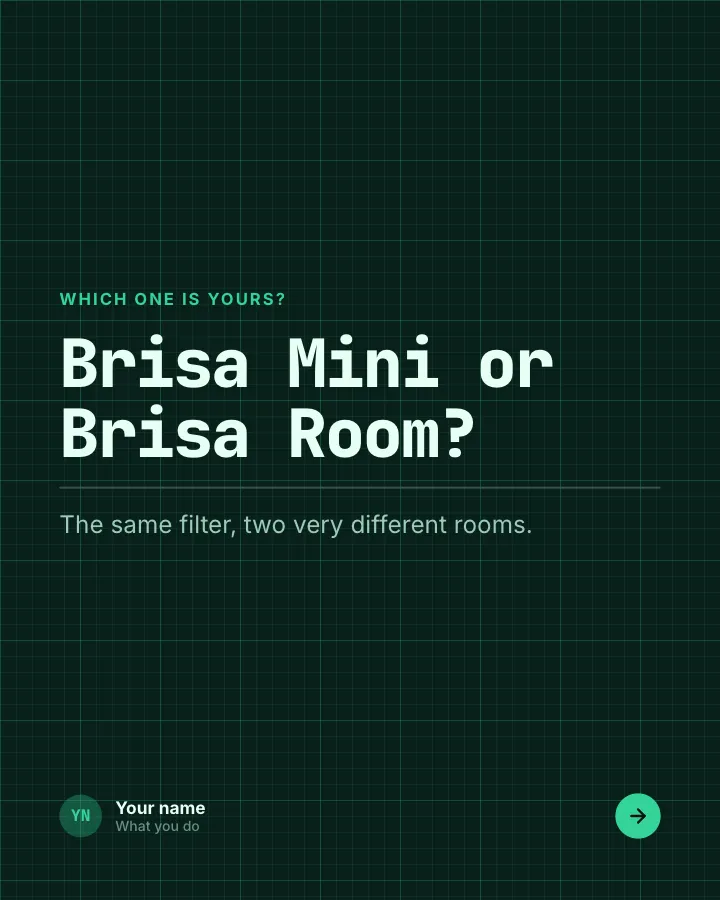
Opening: the two products named as a choice.
In the example
Brisa Mini or Brisa Room?
Which one is yours?
The same filter, two very different rooms.
2Comparison
The single spec that decides most purchases, side by side (author-provided).
In the example
How much space each one cleans
Room size covered
3Comparison
The smaller product, honestly: what it is good at and what it is not for.
In the example
Brisa Mini, honestly
4Chart
A second spec as a chart, with a familiar reference point.
In the example
The Room is louder, but not by much
Noise at top speed
5Chart
Which product and setting suits which home, on two axes.
In the example
Where each one fits
- Mini on high — Small room, hay fever
- Room on auto — Big room, hay fever
- Mini on night mode — Small room, no allergies
- Room on low — Big room, no allergies
6Number
Price and running costs of each (author-provided).
In the example
Price and running costs
- €149 Brisa Mini — Filter €24 every 6 months.
- €289 Brisa Room — Filter €39 every 6 months.
7Call to action
Ask readers for the detail that lets you recommend one.
In the example
How big is the room you want to clean?
Your turn
Tell us the size and we will tell you which one.
Make it in Postora
Step 1
Say what it is about
Open Product face-off and type your topic, paste a link or add your notes.
Step 2
Check the plan
Postora keeps the template’s structure and writes each slide for your subject, in the voice you pick.
Step 3
Polish and download
Edit any word, change the theme or a layout, then export a PDF, images or a video.
Questions about Product face-off
Is the Product face-off template free?
Yes. Opening Product face-off and editing its example are free, no account needed. A free account adds 3 AI carousels a month and 5 downloads of the finished carousel with a small Postora mark; VIP downloads without limits or the mark.
Which platforms is it made for?
LinkedIn (PDF document post, best at 4:5), Instagram (PNG images, best at 4:5), TikTok (PNG images or an MP4 video, best at 9:16) and X (PNG images, best at 16:9). Postora sizes the carousel for the network you pick and checks it against that network’s limits before you download it.
How many slides does it have?
7, each with its own job (shown above). You can add, remove or reorder slides: free carousels go up to 8 slides, VIP up to 30.
Can I change the design?
Yes. It opens in the Circuit Board theme, and you can switch to any of 95 themes or your own brand kit in one click, swap the layout of any slide, and edit every word.
Templates like this one
Browse all templates
Questions we get asked
7 slidesThe questions customers ask before they buy, each answered plainly, so the next person does not have to ask.
SellExplain
Beginner traps
5 slidesThe traps people fall into when they start, each with the simple fix.
ExplainBe bookmarked


Belief check
6 slidesPopular beliefs about a topic, each set against what the evidence actually says.
ExplainSpark replies